Android · in closed testing
Your family's medical records, organized and private
MedFolio turns a shoebox of prescriptions, lab reports, scans and discharge summaries into a clean, date-sorted, searchable timeline — organized right on your phone. It reads each document for you, reminds you to take your medicines, and keeps everything on your device unless you choose otherwise.
Free to organize your documents. Android phones, and your Google account has to be on the tester list while MedFolio is in closed testing.
MedFolio is in a Google Play closed test. There is no public listing yet, so searching the Play Store finds nothing, and Play only installs it for accounts on the tester list — asking to join through the button above is what puts yours there. It is an Android app; there is no iPhone build.
See it in action
A quick tour
How it works
Three steps to an organized record
Snap or import
Add a prescription, lab report, scan or discharge summary from your camera, gallery or files. Photographed pages and digital PDFs both work.
It auto-organizes
On-device OCR reads the text and files it by category, visit date and person — no manual tagging, and nothing uploaded to do it.
Find & share
Search anything instantly, then export a single merged PDF — in date order — to hand to a doctor at an appointment.
Why it exists
It reads every document, so you never file one by hand
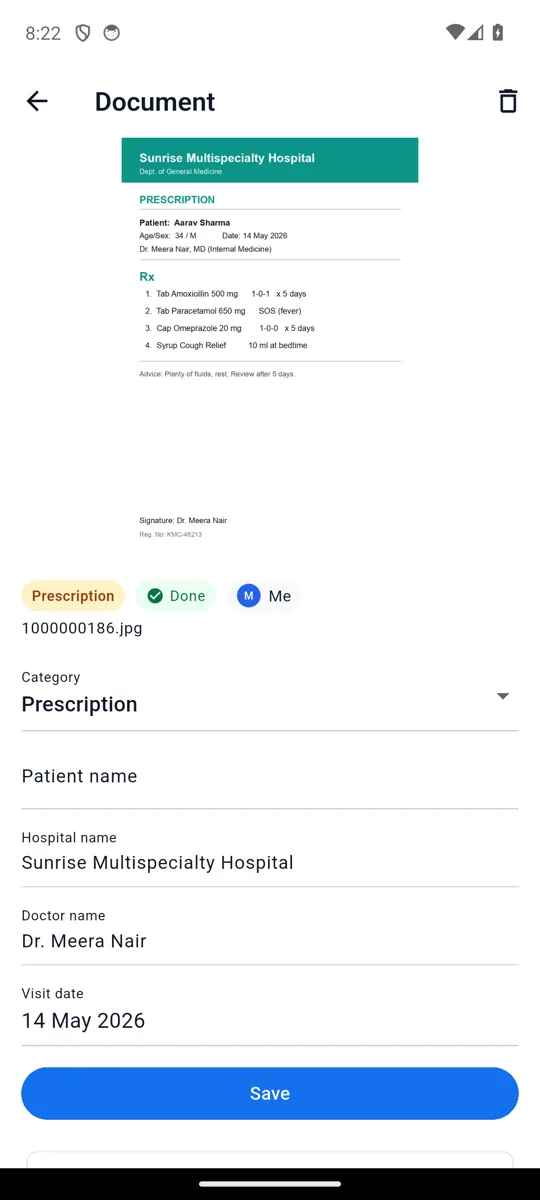
Most organizers give you folders and leave the typing to you. MedFolio reads each page on the device and fills in the category, hospital, doctor and visit date itself — you just check it and save.
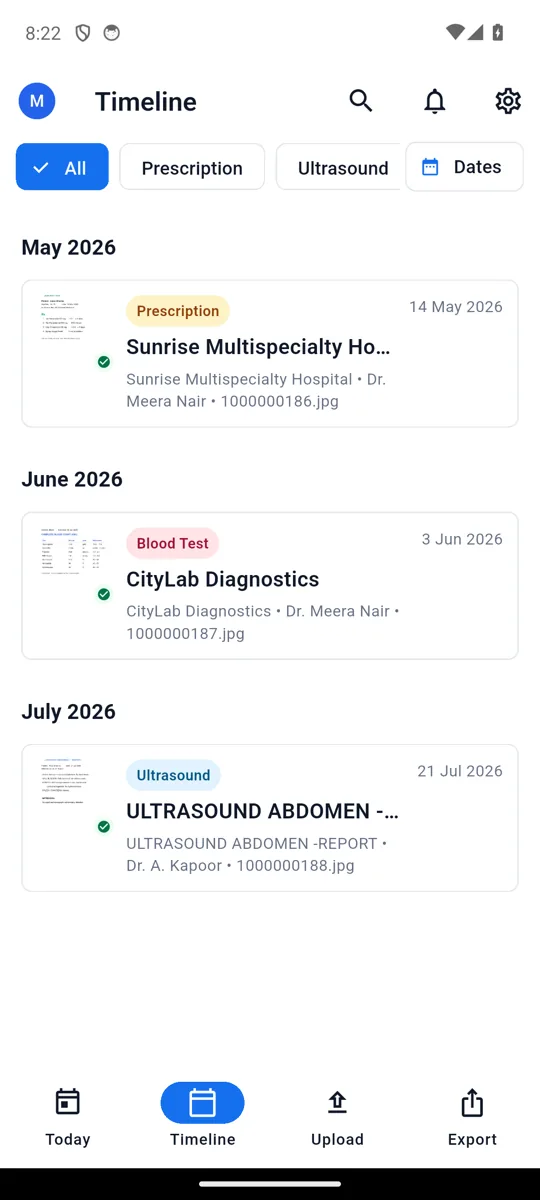
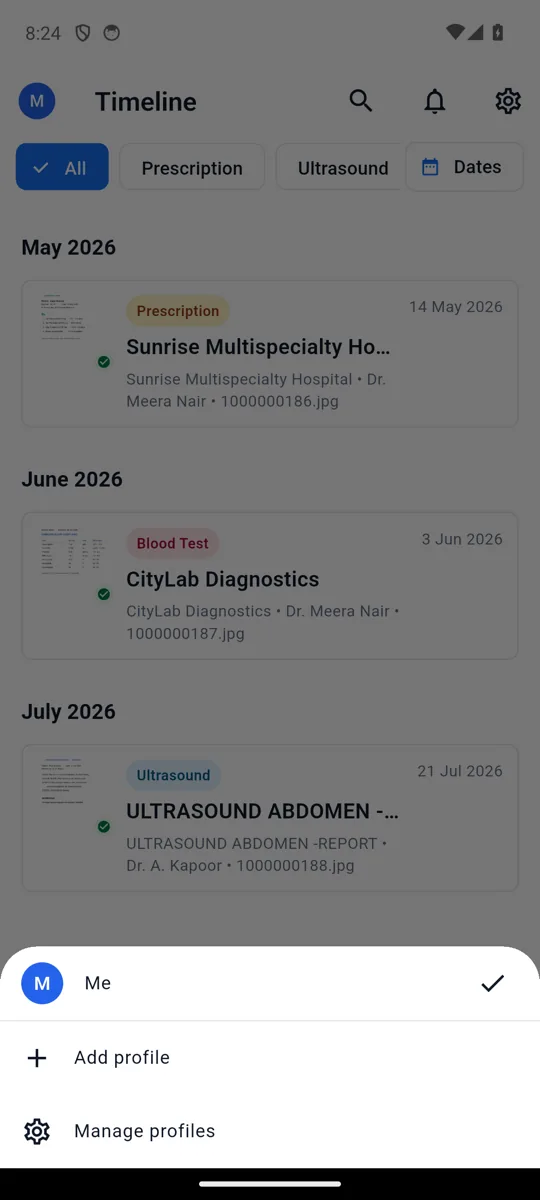
Snap a prescription and it lands as Prescription · Dr. Meera Nair · 14 May 2026, already on the right day of the timeline — no fields to fill in.
A look inside
See MedFolio in action
What it does
Everything your paperwork needs
Capture & auto-organize
Snap a photo, pick from the gallery, or import a PDF. On-device OCR reads it and fills in the category, visit date, hospital and doctor for you — nothing is uploaded to do it.
A searchable timeline
Every document lands on a date-sorted timeline grouped by month, tagged with its category. Full-text search finds any report by what is written inside it.
Today, at a glance
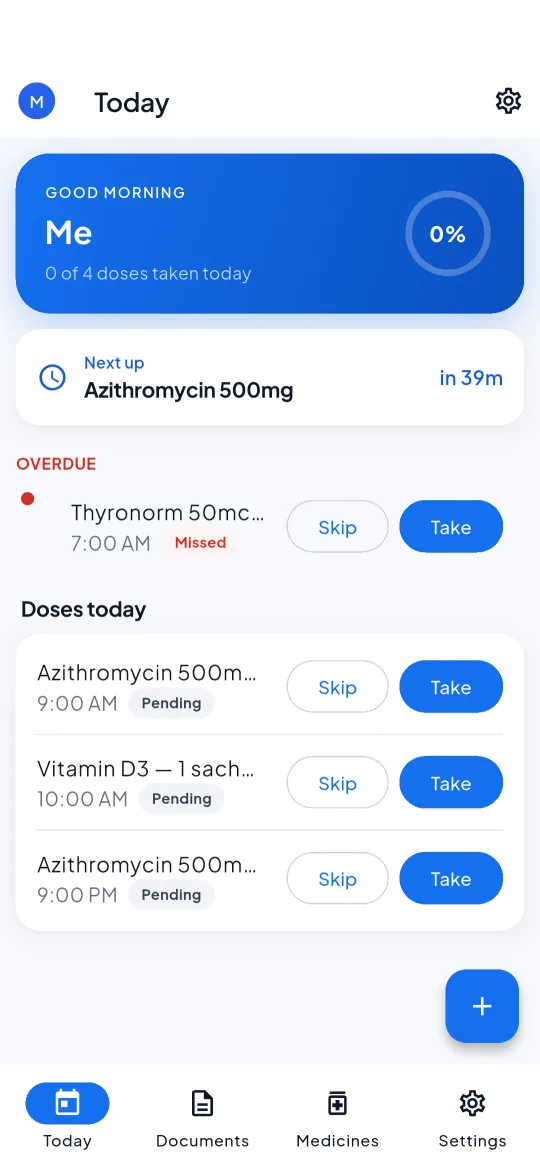
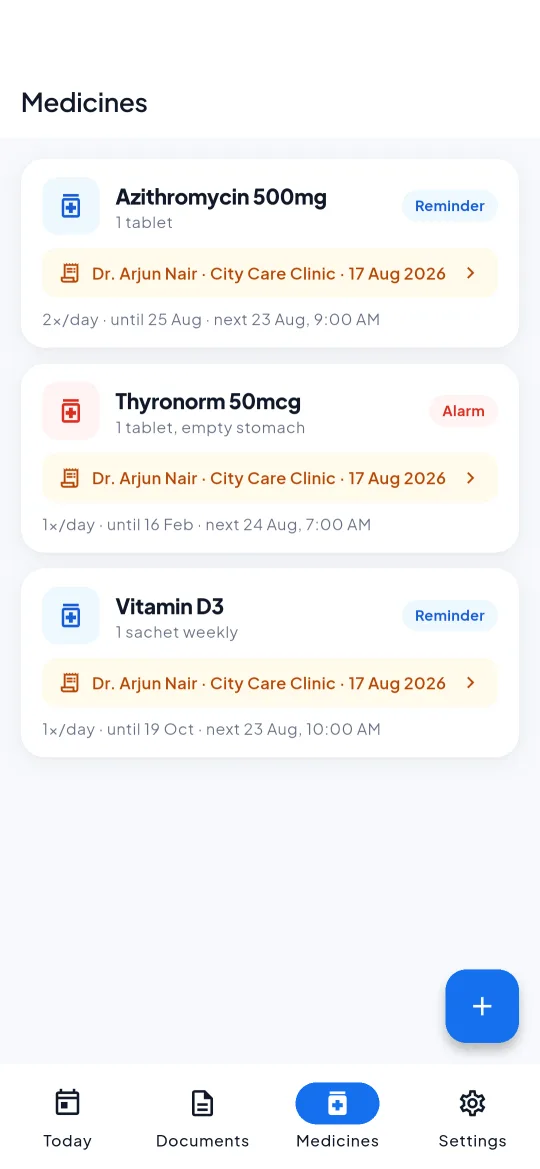
One daily view of the doses due, reminders and notes for the active profile, in time order — with what is overdue, what is next, and how many of today’s doses are taken.
Medicine reminders that fire
Turn a prescription into a schedule and get exact-time alarms that ring over the lock screen — not a quiet peek. Mark a dose taken or snooze it straight from the notification.
One app for the family
Keep records for everyone you look after. Switch profiles with a tap and every document, reminder and Today view is scoped to the right person.
Optional AI, in your control
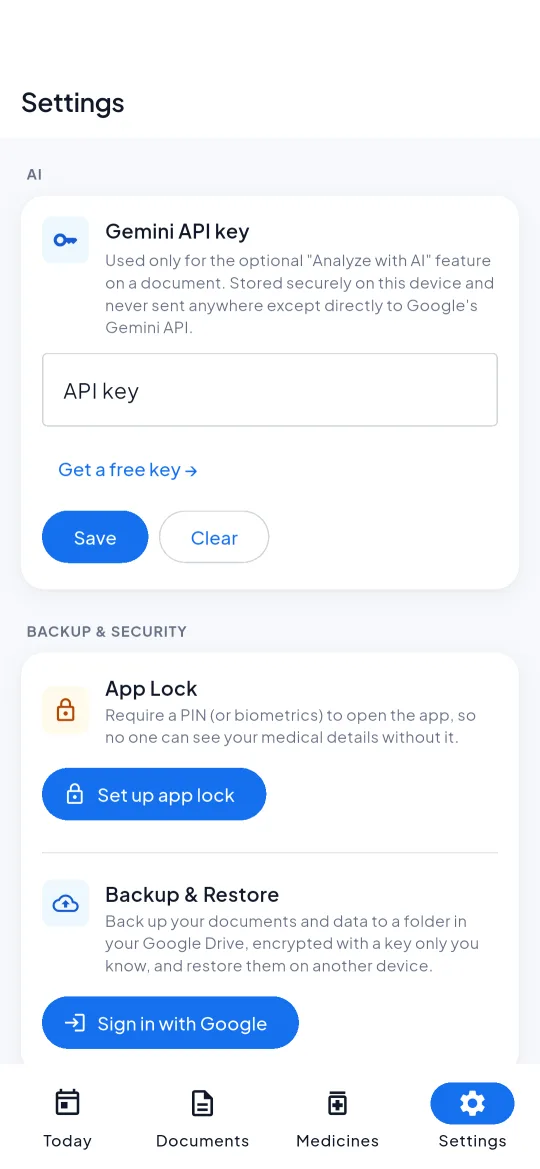
Ask AI to summarize a document and suggest its details. It is opt-in, you review every suggestion before it is saved, and the app is upfront that a scan sends that document to Google Gemini.
Encrypted backup to your Drive
Back up to your own Google Drive, encrypted with a key that never leaves your phone. Drive only ever stores ciphertext, so neither Google nor anyone you share the folder with can read it.
Private by default, and nothing watching. Your documents, the text read from them and their details are stored only on your phone, behind an optional PIN or fingerprint lock. The only data that ever leaves is one you start — an AI scan you run, which sends that document to Google Gemini, or an encrypted backup to your own Google Drive that only your on-device key can unlock. What is stored, and where
Questions
Good to know
How do I get MedFolio?
MedFolio is in a Google Play closed test, so there is no public store listing yet and nothing to download from this site. Ask to join using the button above and we will add your Google account to the tester list, after which Play installs and updates it like any other app. It is an Android app; there is no iPhone build.
Is my medical data private?
Yes. Your documents, the text read from them and all their details are stored only on your phone — MedFolio has no server that receives your medical data. The only times anything leaves your device are ones you start: running an AI scan sends that one document to Google Gemini, and turning on backup uploads an encrypted copy to your own Google Drive.
Does it work offline?
Yes. Capturing documents, reading them with OCR, organizing, searching, medicine reminders and PDF export all run on your device with no internet connection. Only the optional AI scan and the optional Drive backup need a network.
Is the AI feature required?
No. MedFolio is fully usable without ever running an AI scan. AI is opt-in: you choose when to run it, the app tells you it will send that document to Google Gemini, and you review any suggested details before they are saved.
How does the Google Drive backup keep my records safe?
The backup is encrypted on your phone before it is uploaded, using a key that never leaves the device. Google Drive only ever stores the scrambled copy, so neither Google nor anyone you share the folder with can read the documents inside. Restoring on a new phone needs the same key, which also means there is no recovery path if you lose it — write it down.
How much does it cost?
MedFolio is free to organize your documents, set reminders and export PDFs. A limited number of free AI scans are included; for unlimited AI you can add your own free Google Gemini API key.
Which phones does it run on?
Android phones. Your Google account has to be on the tester list while MedFolio is in closed testing. There is no iPhone or iPad build, and none is planned right now.
Private by design. Free to start.
MedFolio is in a closed test on Google Play for Android. Ask to join and we will send you the link.